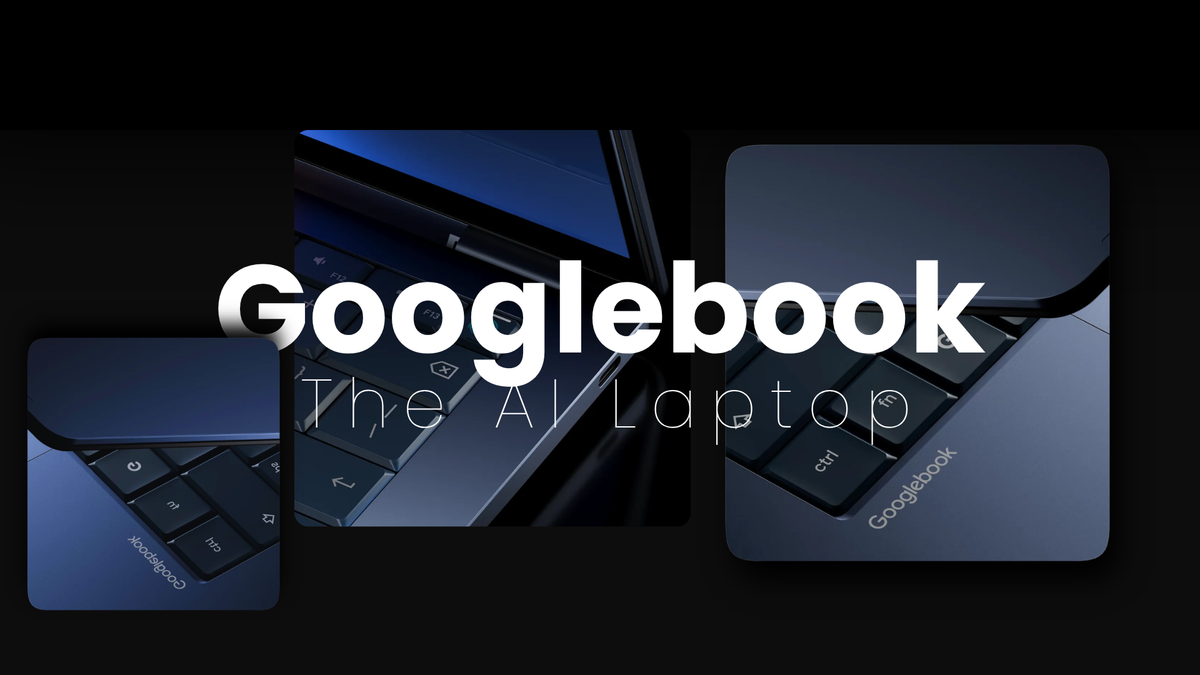
Google Googlebook — Everything You Need to Know About Google's New AI Laptop
May 13, 2026
Google just killed the Chromebook. Not officially — but effectively. Over 15 years ago, Google introduced the Chromebook, a laptop built for a cloud-first world. Now, as the company moves from an operating system to an intelligence system, it's rethinking laptops again.
The result is Googlebook — and it launched today at Google's Android Show event.
What Is Googlebook
Google introduced a new high-end laptop segment called Googlebook that will run Android and prominently showcase Gemini artificial intelligence. Hardware partners Dell, Lenovo, and HP will debut models built on the platform in the coming months.
Googlebook is a new category of laptops built from the ground up for Gemini Intelligence, designed to deliver personal and proactive help when and where you need it. The devices feature premium hardware and work seamlessly with Android phones.
This is not a Chromebook refresh. It's a new platform entirely.
The OS — Android Meets ChromeOS
Googlebook brings together the best of Android, which comes with powerful apps on Google Play and a modern OS designed for intelligence, and ChromeOS, which comes with the world's most popular browser.
The operating system combines elements of ChromeOS, Google's Linux distribution for lightweight laptops, and Android. The machines run this hybrid OS with Gemini deeply integrated at the system level — not bolted on top as an app.
Magic Pointer — The Biggest Feature
This is the headline feature and honestly the most interesting part of the entire announcement.
It all starts with the cursor — the first thing you see when you open a laptop and a tool that hasn't seen much change since the right-click was added. Google is changing that with Magic Pointer, a feature built with the Google DeepMind team that brings Gemini's helpfulness right to your fingertips. Just wiggle your cursor and watch it come alive with Gemini, offering quick, contextual suggestions every time you point at something on your screen.
For example, if you point at a date in an email, you can quickly set up a meeting. Or, if you select two images — like your living room and a new couch — you can visualize them together.
"As you wiggle and move over the screen, it will tell you what it can interact with and contextually offer you the actions that you can do. It really exemplifies how we think about AI features throughout Googlebooks. It's built in, but not in your face."
Create My Widget
Users will be able to use Google's new Create My Widget feature on Googlebook to build custom widgets by prompting Gemini. Gemini can search the internet and connect with Google apps like Gmail and Calendar to create a personalized dashboard.
Think of it as a live, AI-generated home screen that organizes itself around what you actually need rather than what you manually pinned there.
Android Phone Integration
Cast My Apps lets you access any application on your phone on the laptop's bigger screen. Quick Access enables you to retrieve files no matter where they are stored — the file browser on Googlebooks lets you browse the files on your phone and insert them from your laptop.
If you're using your laptop and remember you need to complete your daily Duolingo lesson but don't want to reach for your phone, you can access the app directly on your laptop instead.
This phone-laptop continuity is Google's direct answer to Apple's Handoff ecosystem — and it works across Android phones from any manufacturer, not just Google's own Pixel line.
Design — The Glowbar
Google is working with Acer, Asus, Dell, HP, and Lenovo on Googlebooks, coming in a variety of shapes and sizes. Every device is built with premium craftsmanship and materials. All Googlebooks will feature a distinctive Glowbar that is both functional and beautiful.
The Glowbar appears to be a signature design element across all partner devices — a light strip that doubles as a status indicator, similar in spirit to what Valve is doing with the Steam Machine's RGB front panel.
What Happens to Chromebooks
Google says Chromebooks will continue to receive support through their device's existing date commitment, and many Chromebooks will be eligible to transition to the new experience. More details will be available before the Googlebook launch.
The language is careful but the direction is clear. Chromebook as a brand is being sunset in favour of Googlebook. If you own a Chromebook today, your device keeps working — but the future belongs to the new platform.
Price — What to Expect
No official pricing has been announced yet. Google has not given insight into Googlebook pricing, but with the specific premium build language, they could be priced above the low-cost MacBook Neo that Apple recently released. It's also possible that Googlebooks will have MacBook Neo-level pricing to better compete with Apple on pricing and build quality.
Given the premium hardware positioning and partners like Dell and HP involved, budget Chromebook territory — sub-$300 — seems unlikely for the first wave of devices. Expect pricing announcements closer to the fall launch.
Release Date
Keep an eye on googlebook.com for more updates before the devices launch this fall.
No specific month has been confirmed. Fall 2026 is the window, with hardware partners expected to announce their individual models and pricing as the launch approaches.
Googlebook vs MacBook vs Windows
Google is positioning Googlebook directly against Apple's MacBook lineup and Windows AI PCs. The differentiator is Gemini integration at the OS level — not an AI assistant you open separately, but intelligence woven into every interaction from the cursor up.
Windows Copilot+ PCs have taken a similar approach with Microsoft's AI features, but they're layered on top of Windows rather than built into the foundation. Apple Intelligence on MacBook is deep but limited to Apple's own ecosystem.
Googlebook's advantage is Google's data and app ecosystem — Search, Gmail, Maps, Calendar, YouTube, Drive — all feeding into Gemini's contextual understanding of what you're doing on screen.
CONCLUSION
Googlebook is Google's most ambitious hardware play in over a decade. Abandoning ChromeOS branding, partnering with the biggest names in PC hardware, and betting the entire product on Gemini intelligence at the OS level — that's a serious strategic commitment.
Whether the Magic Pointer and Create My Widget features are genuinely useful daily tools or impressive demos that fade into the background remains to be seen. We'll know more when the first devices ship this fall.
Watch googlebook.google for pricing and availability updates. We'll cover it the moment they drop.